![corp_logo_horz_on_dark_1200w (2)-1.png]](https://success.complyauto.com/hs-fs/hubfs/corp_logo_horz_on_dark_1200w%20(2)-1.png?height=24&name=corp_logo_horz_on_dark_1200w%20(2)-1.png)
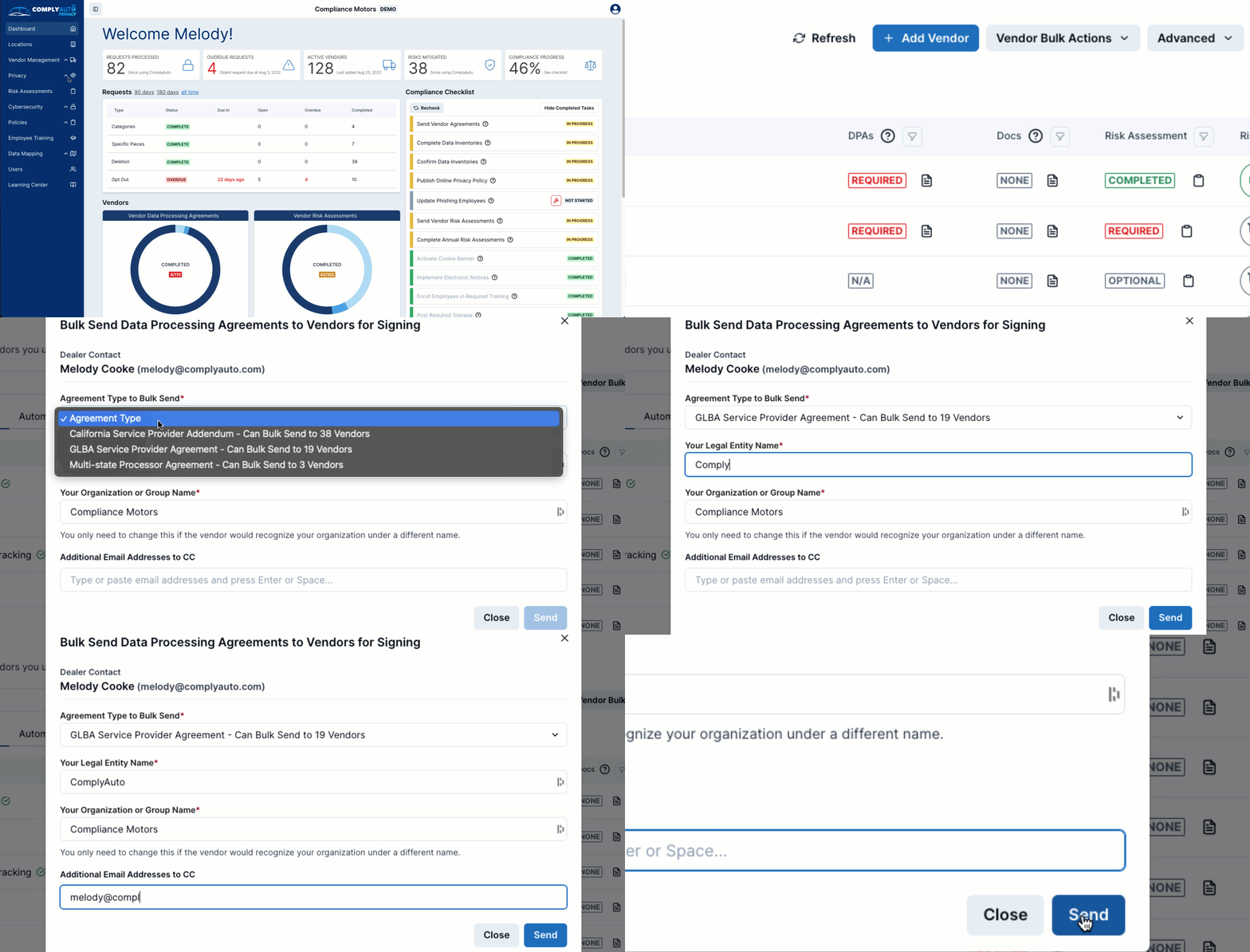
STEP 1
Login to the Dealer Portal and click on "Vendor Management", then select "Manage".
STEP 2
Click "Vendor Bulk Actions".
STEP 3
Click "Send Bulk Data Processing Agreements", and select the agreement type to be sent.
STEP 4
Enter the the dealership legal entity name, and any emails that should be copied on the bulk Data Processing Agreements request.
STEP 5
Click "send".