>Login to ComplyAuto at https://login.complyauto.com/ and select the DealCheck Product
>Open the ComplyAuto Desktop App
>Open the Reynolds application
>Search for the completed deal you want to select
>Select Deal Jacket in the search icon>When the folder appears, click 'Select All'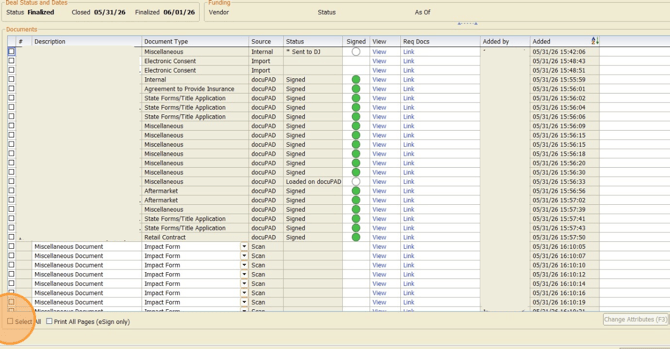
>Click Print on the right-hand side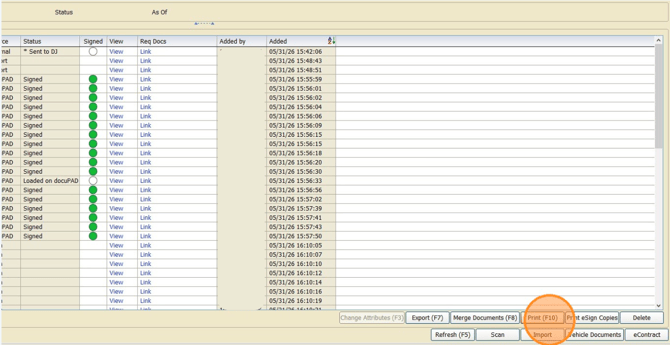
>Select Third Party or None as the print destination (if something physically prints you'll need to adjust your settings in Reynolds)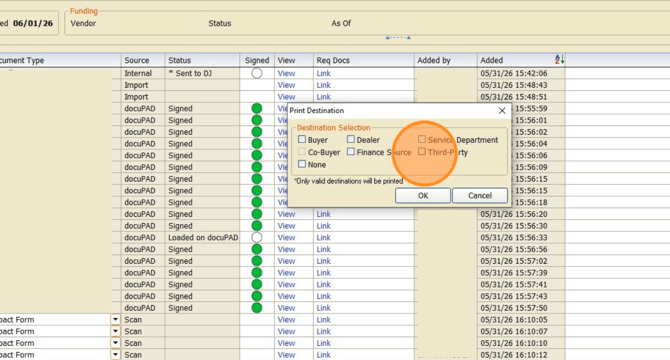
>Select 'Send to DealCheck' in the printer drop down options and click Print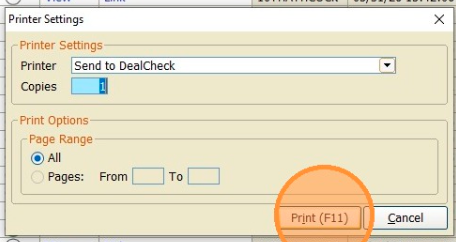
>When all necessary files are loaded into the Desktop App on the left hand side under Files, select 'Create Deal'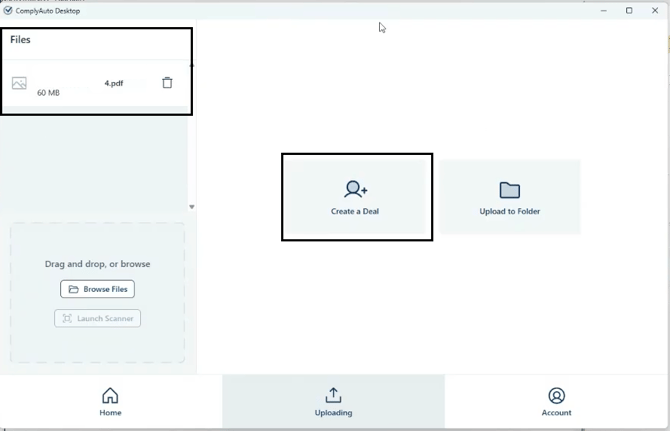
>Select the location, enter the customer’s name, and deal number or stock number (you don't need both) >Select Create Deal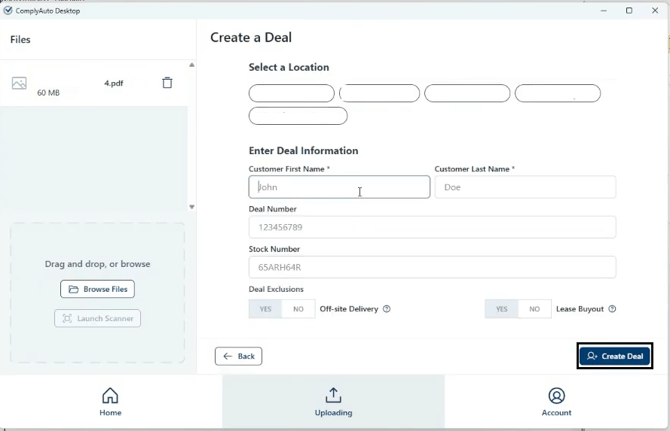
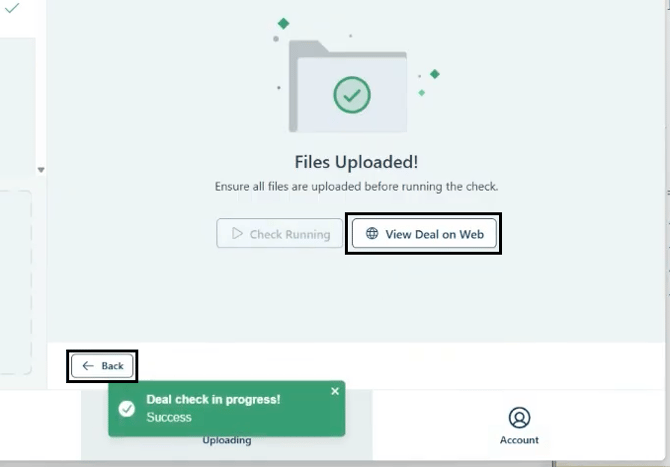
>Click 'Run Deal Check'
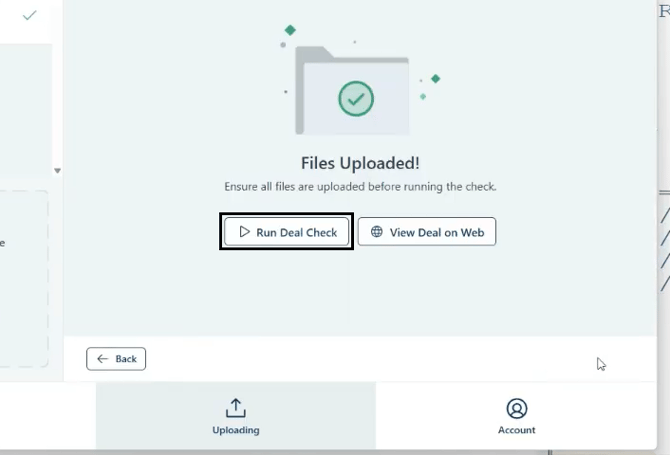
>Click 'View Deal on Web' to review and fix the issues the AI finds on the deal >To run another deal, click Back and start the process over