
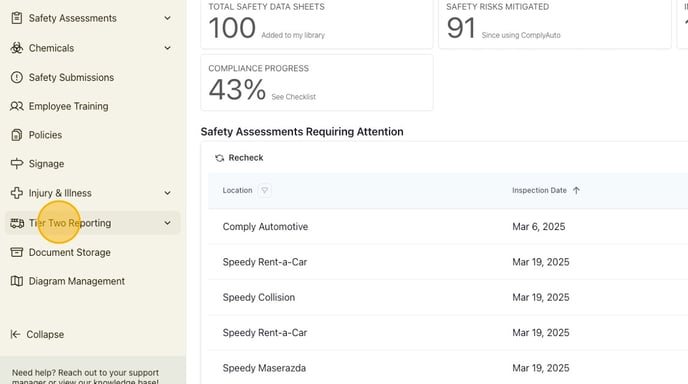
1. Navigate to your ComplyAuto Safety dashboard. Click "Tier Two Reporting" in the left-hand menu.
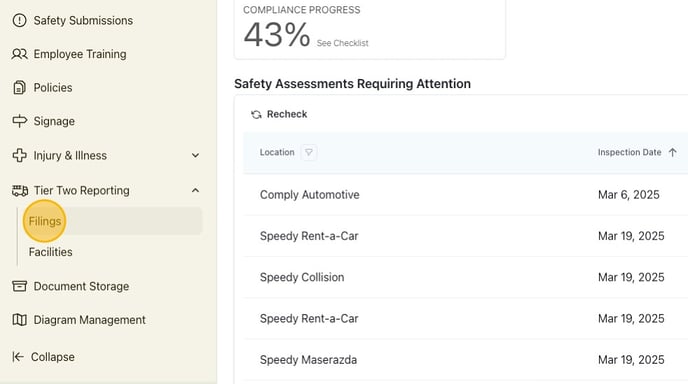
2. Click "Filings."
3. Click "Contact Information."

4. Click the appropriate location.
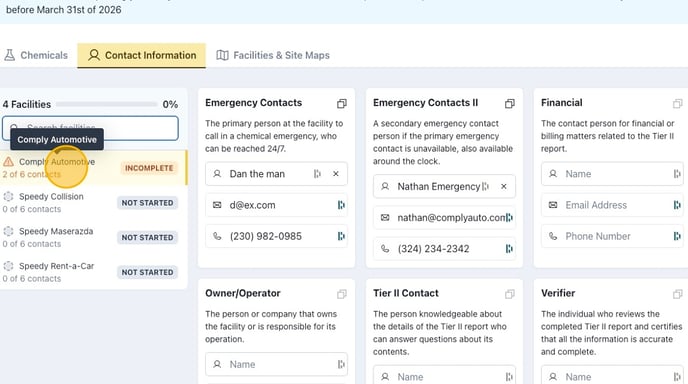
5. Update each contact by clicking in the space for name, email address, and phone number.
