
1. Navigate to your Guardian dashboard and click "Ad Compliance."
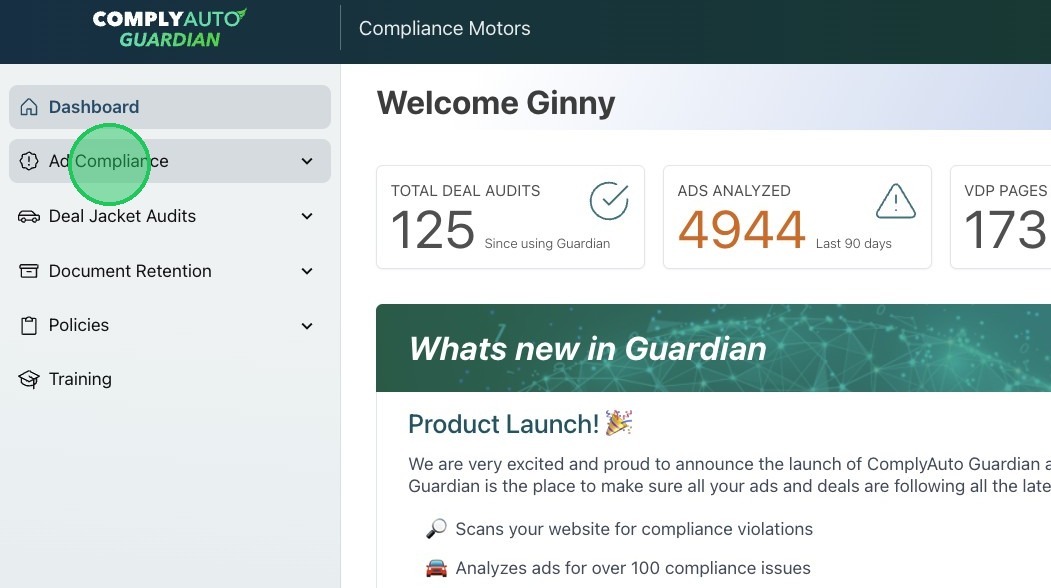
2. Click "Ad Web Scanner."
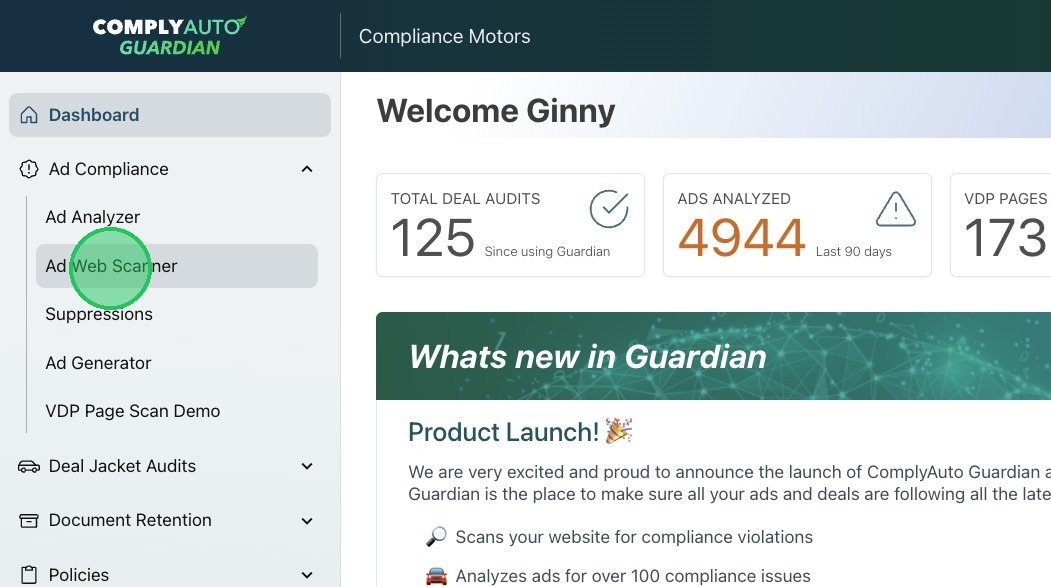
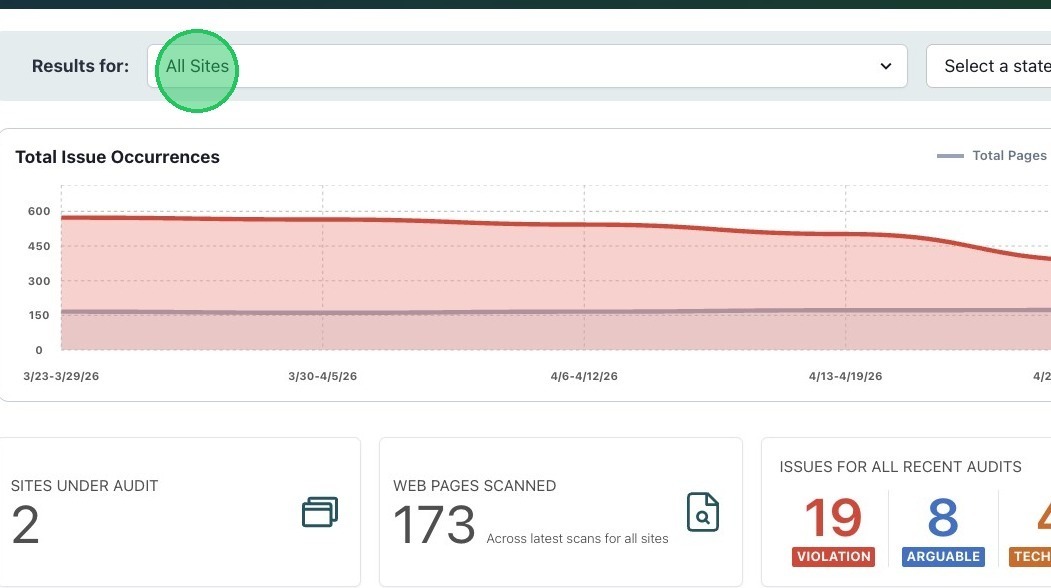
3. On the Web Scanner main page, it will default to "All Sites." Click the drop-down menu to navigate to a specific website.
4. You can also navigate to specific websites if you scroll to the bottom of the page. Click "View Details" to look at each website's scan results.
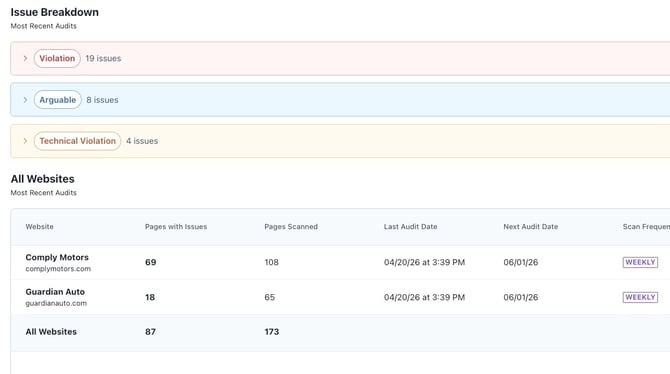
5. Issues are broken down into three categories: Violation, Arguable, and Technical Violation.
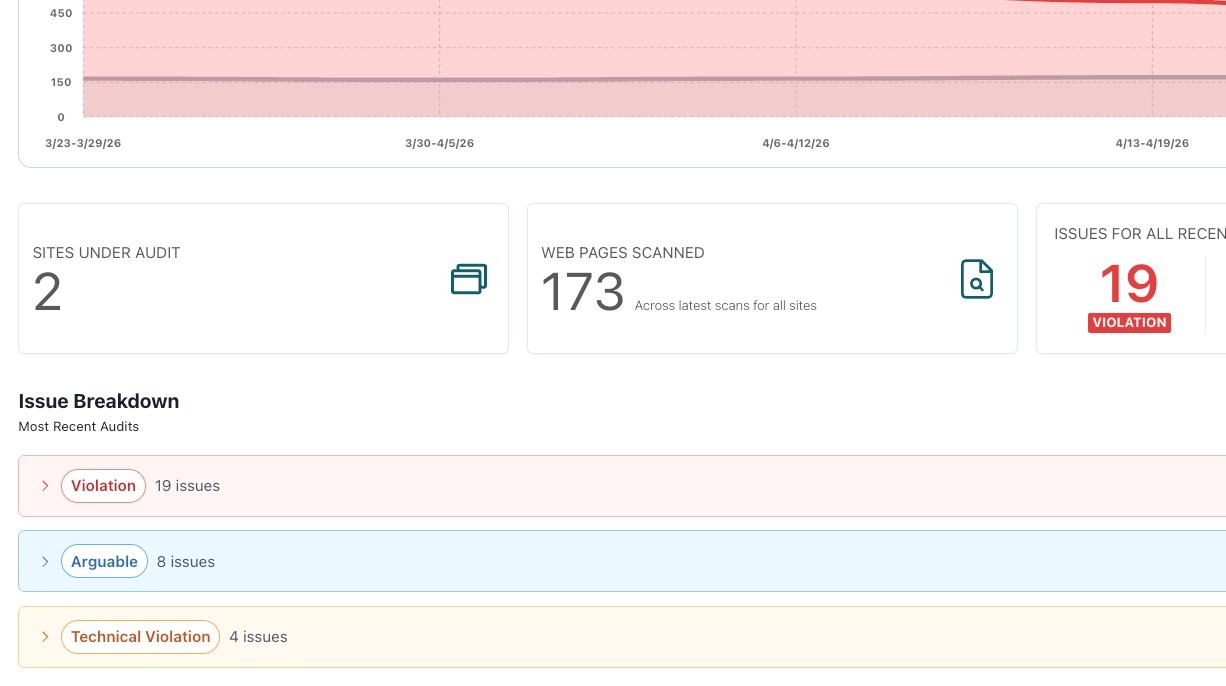
Tip! ComplyAuto recommends addressing "Violation" issues first.
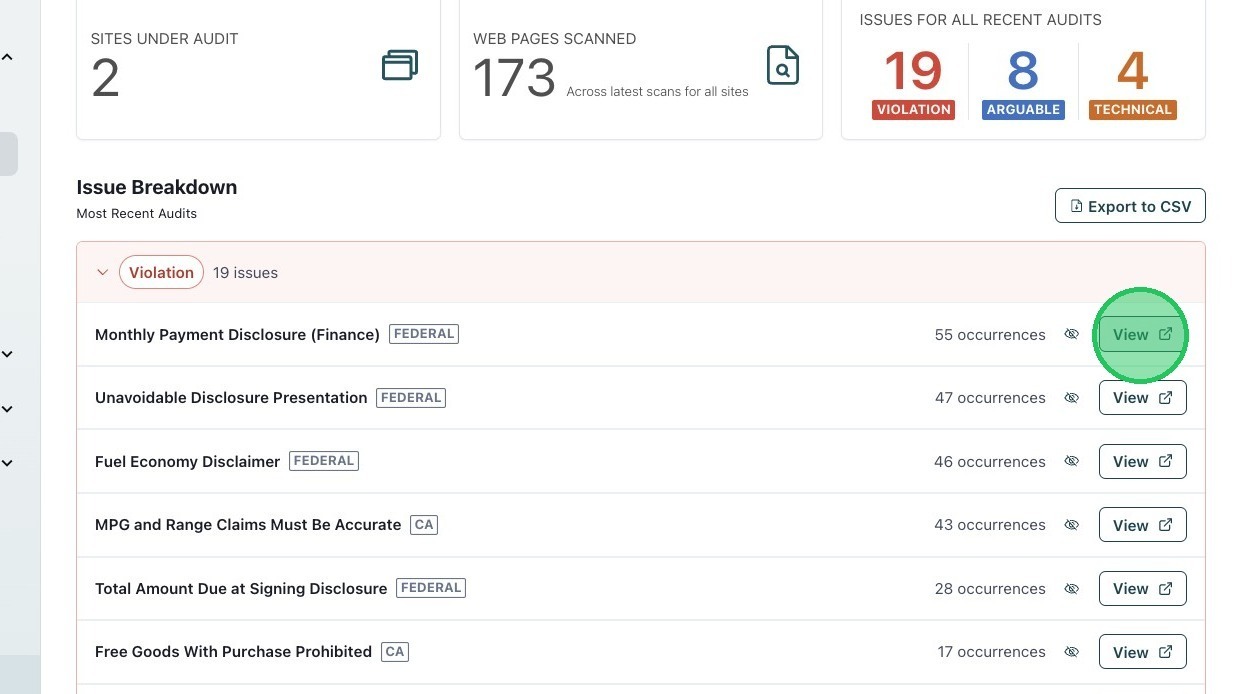
6. To review the details for a specific issue, click "View."
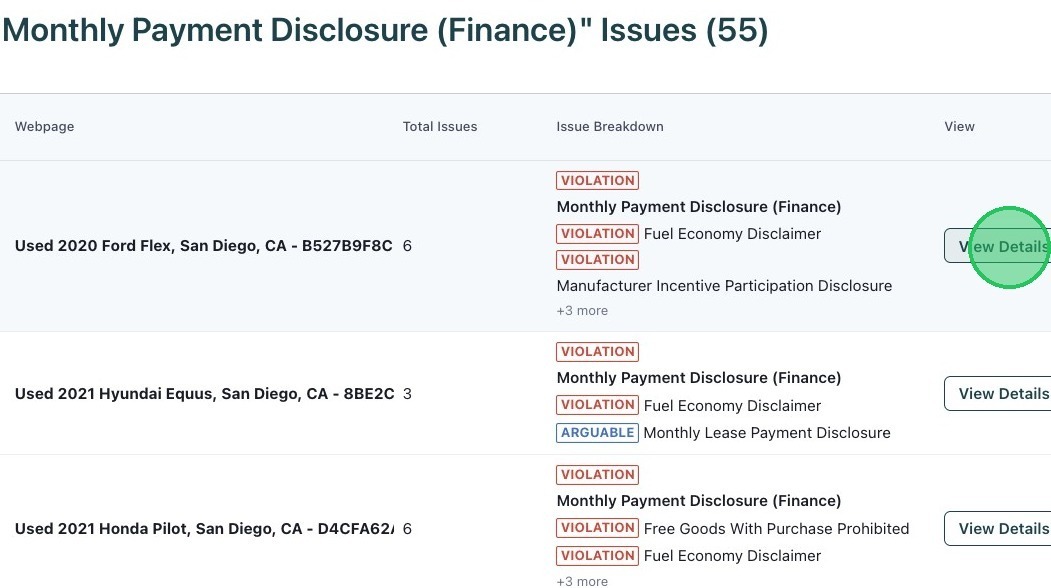
7. Then click "View Details" to review the issue in a specific VDP.
8. A direct link to the VDP on your website is provided at the top.
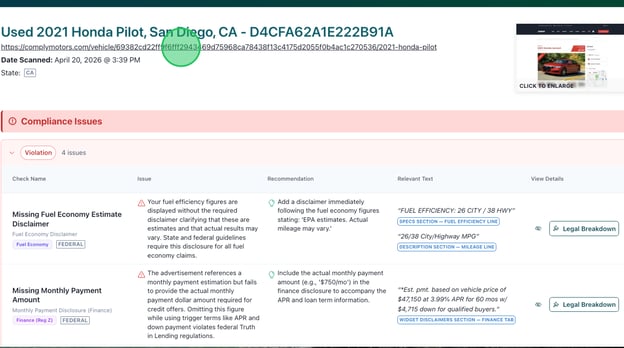
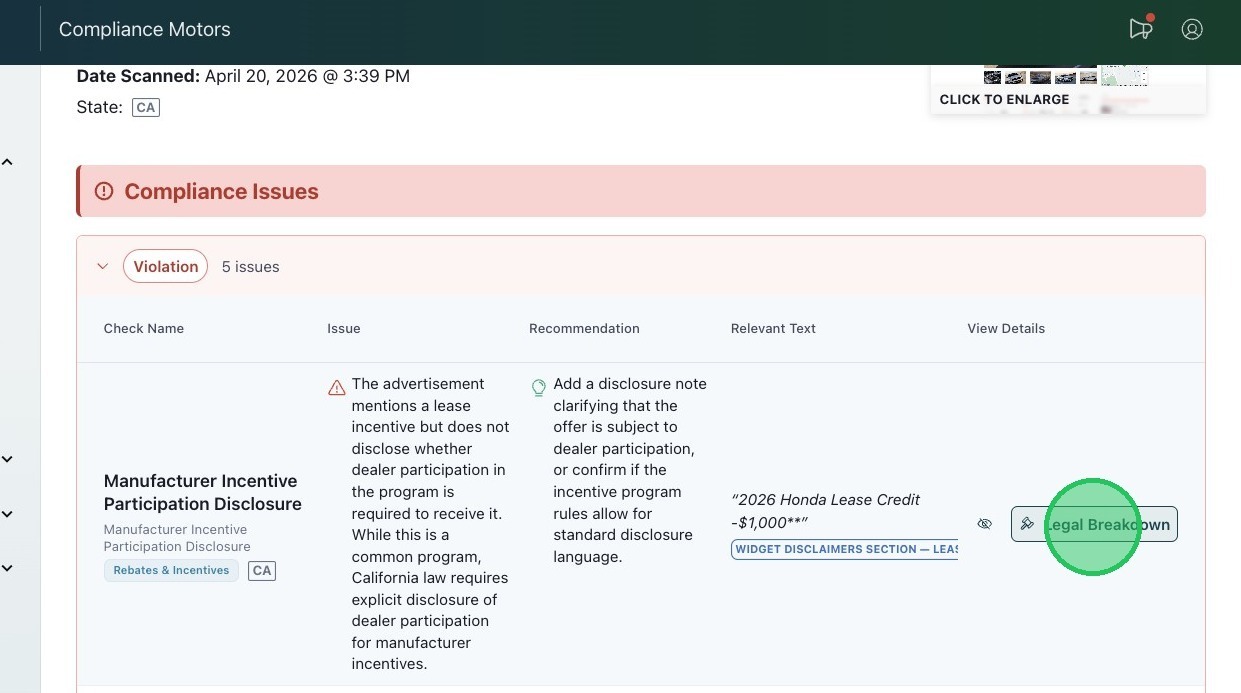
9. Under Compliance Issues, you'll see an overview for each issue. For more details, click "Legal Breakdown."
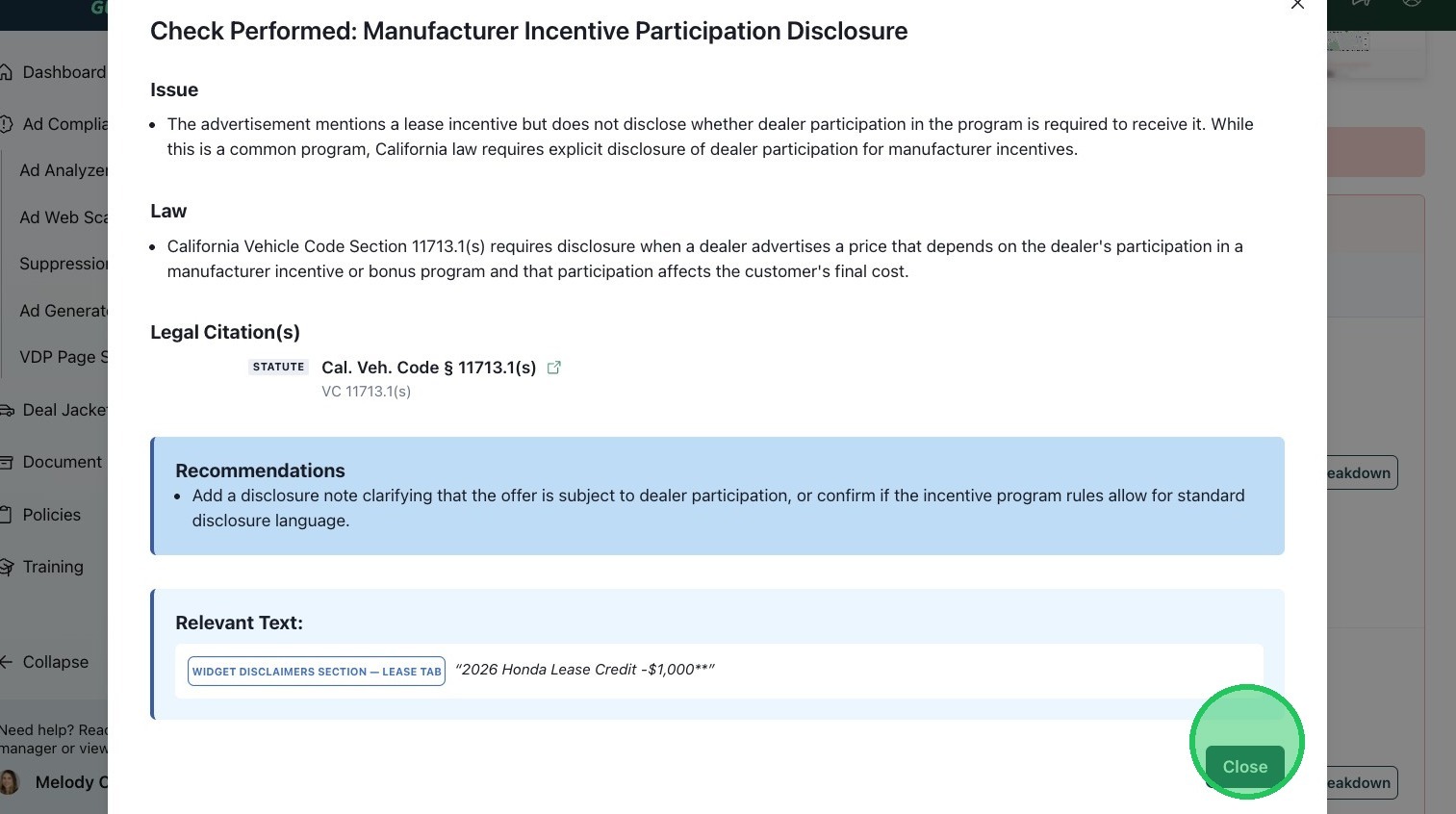
10. The legal breakdown provides the issue found, a summary of the law, a link to the actual legal citation, our recommendation, and the relevant text.
Tip! If you have questions about the analysis, please reach out to your client success manager and he or she can schedule a time for you to meet with one of our advertising compliance experts.