
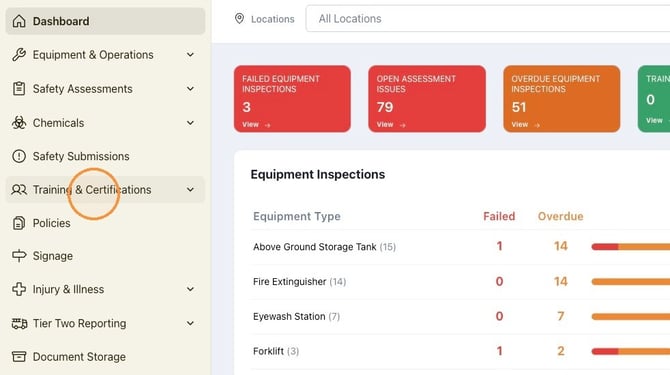
1. Navigate to https://safety.complyauto.com/dashboard and click "Training & Certifications."
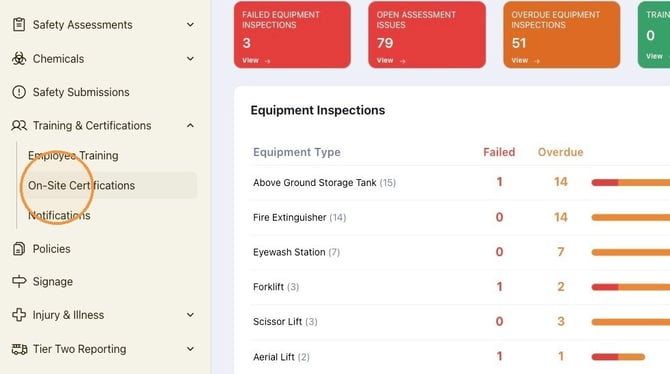
2. Click "On-Site Certifications."
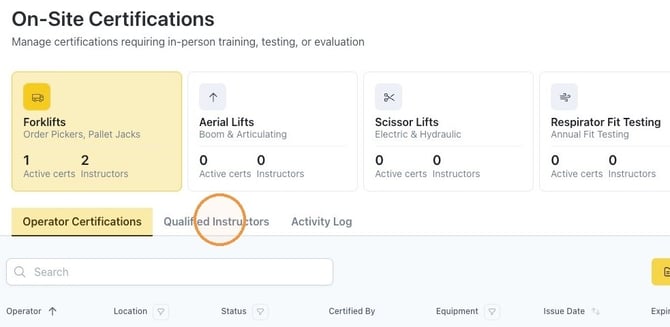
3. Click "Qualified Instructors."
Alert! Before adding a qualified instructor in the Safety dashboard, be sure the employee is added as a Safety user in ComplyAuto Workforce.
Here's an article to walk you through how to do this: How to Add a User to ComplyAuto Safety.
4. Click "Designate Instructor."
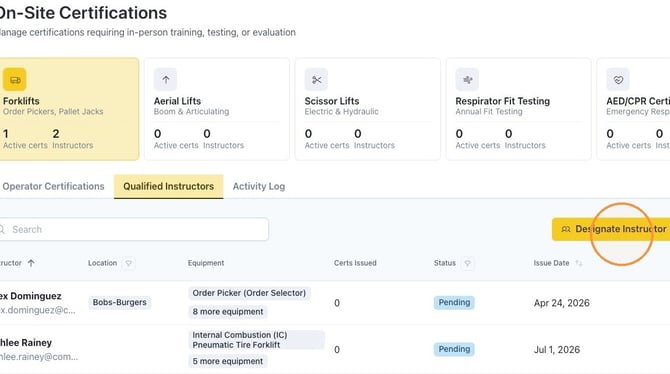
5. Click the employee selection field and start typing the name of the employee.
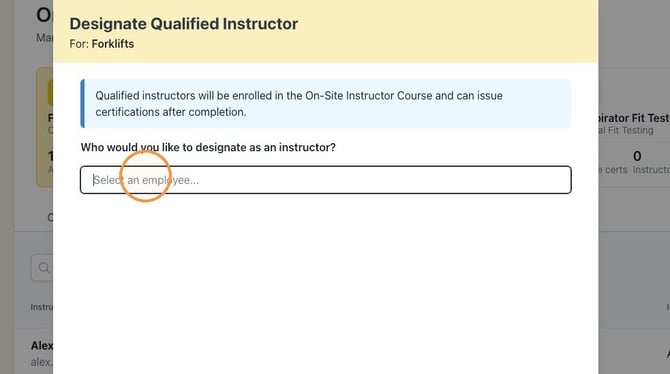
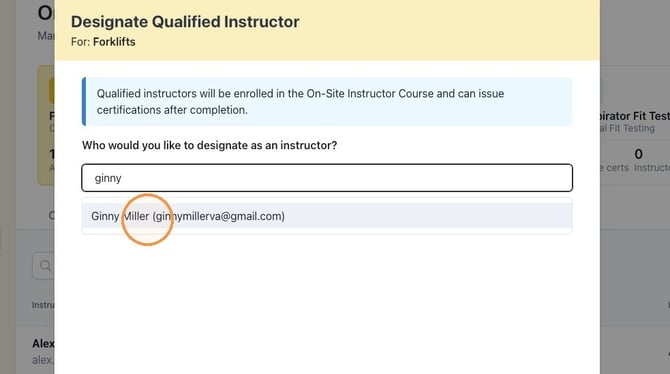
6. Select the employee from the drop-down list.
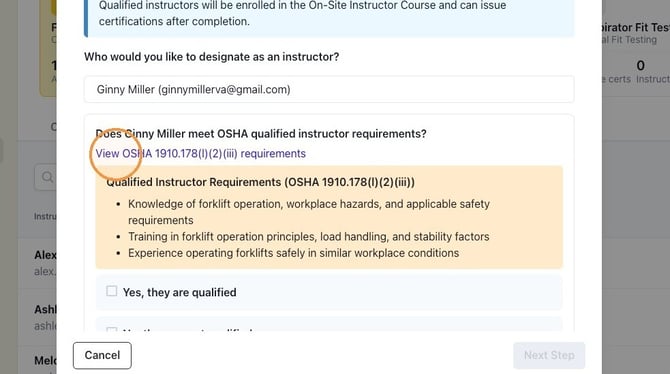
7. To ensure the employee meets the requirements to be a qualified instructor, click "View OSHA 1910.178(l)(2)(iii) requirements" and review the requirements.
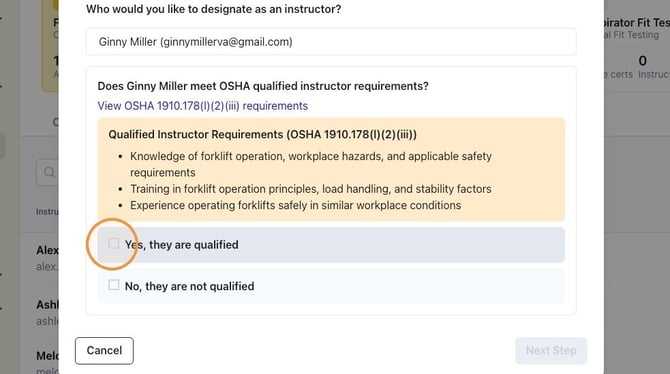
8. If the employee meets the requirements, click "Yes, they are qualified" and then click "Next Step."
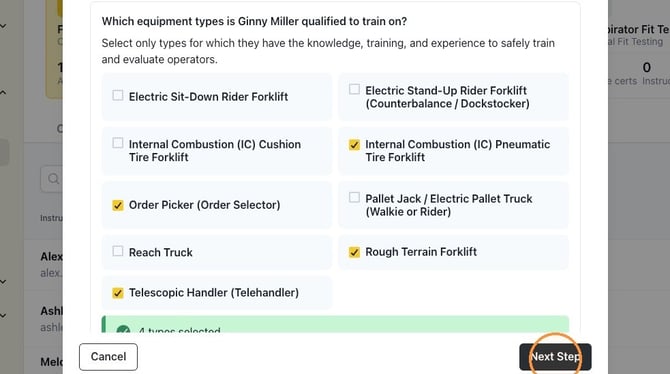
9. Select the various forklifts the employee is certified to train on and then click "Next Step."
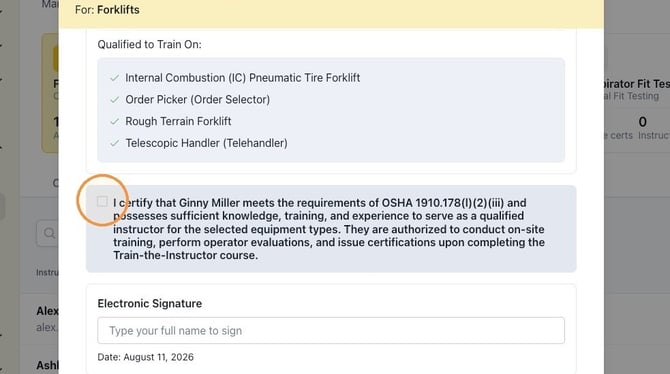
10. Select the certification checkbox.
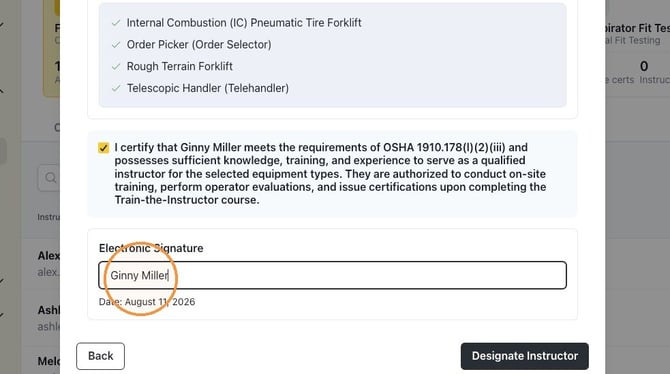
11. Type your full name to sign and then click "Designate Instructor."
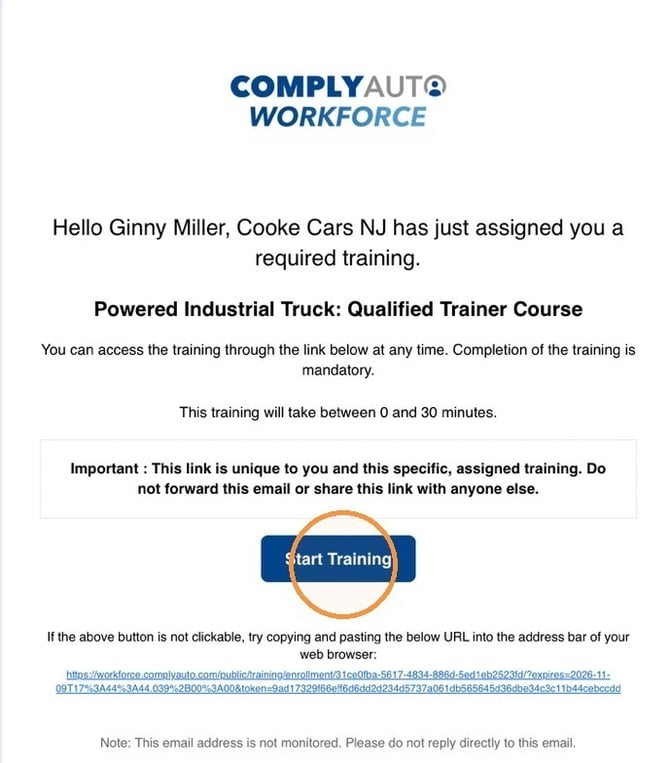
12. The instructor is automatically assigned the Qualified Trainer Course. To complete the training, the instructor will click "Start Training" in the email, verify his or her email address, and then complete the course.
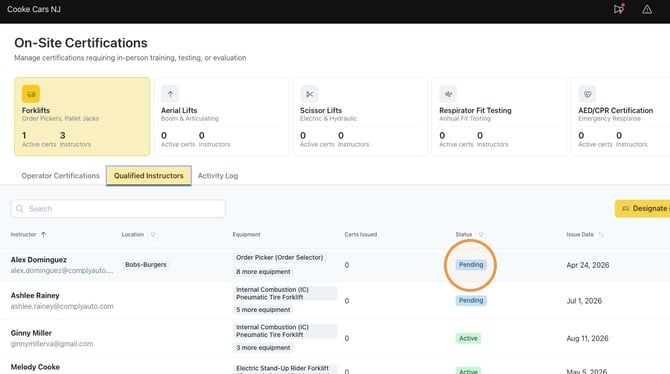
13. The status will show as "Pending" until the training course is completed.
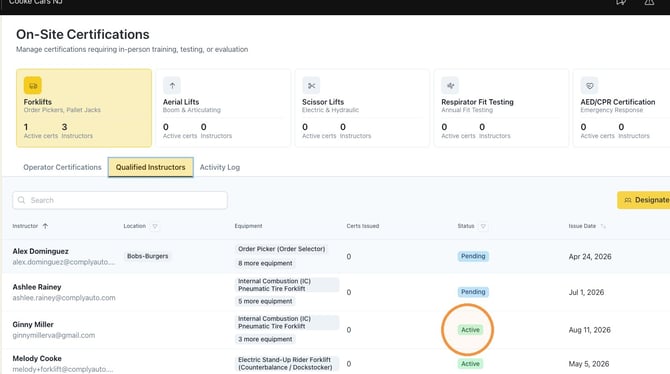
14. Once the training course is complete, the status will change to "Active." The qualified instructor is now ready to perform in-person training and manage certifications.
Tip! If you have any questions, please reach out to your client success manager or designated safety specialist.