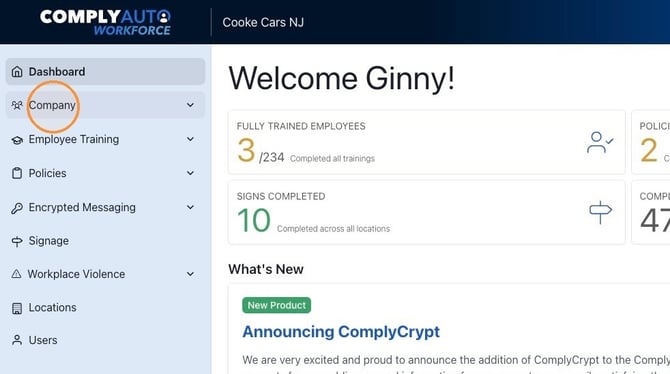
1. Navigate to https://workforce.complyauto.com/dashboard and click "Company."
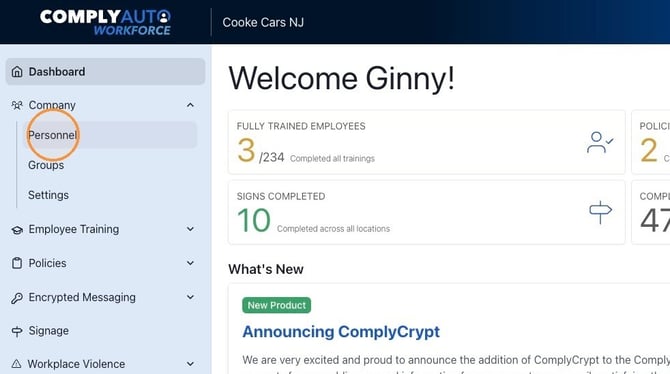
2. Click "Personnel."
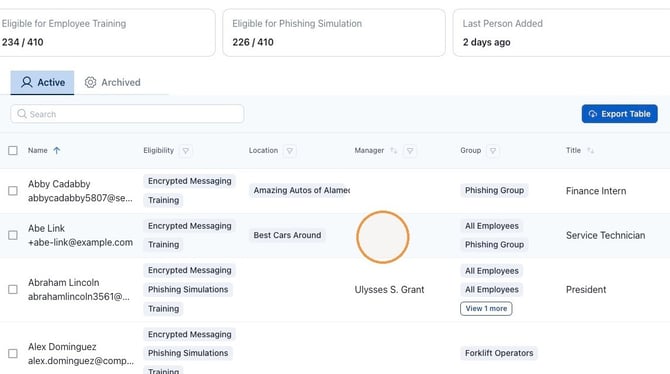
3. Use the "Search" field to find the employee and then click anywhere on the row.
4. Click "Access."
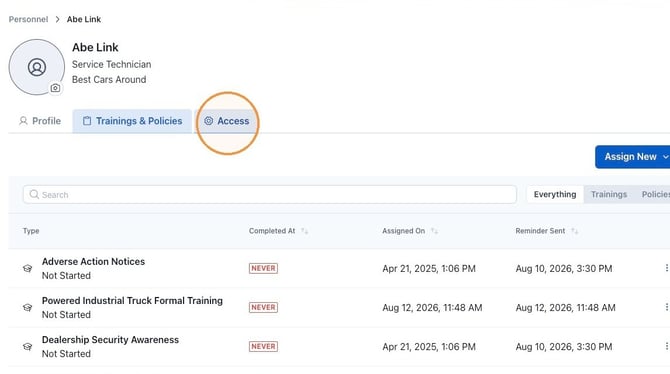
5. Click "Edit."
.jpeg?width=670&height=293&name=How%20to%20Add%20a%20User%20to%20ComplyAuto%20Safety%20-%20Step%207%20(1).jpeg)
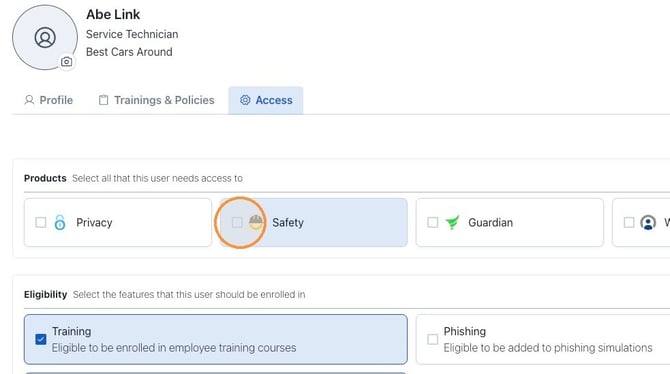
6. Check here to grant them access to the Safety dashboard.
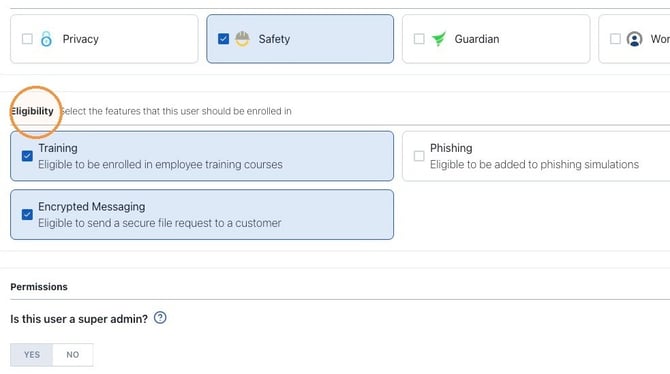
7. Under eligibility, select training and encrypted messaging for all employees. Select phishing for employees with company emails.
8. Select all locations, user’s location, or choose specific locations.
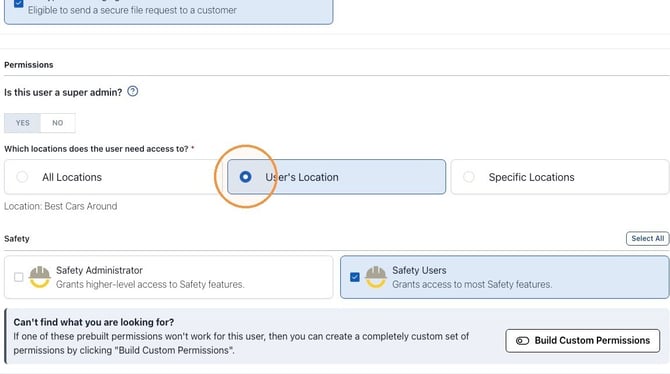
9. If the employee needs access to the full Safety dashboard, select Safety Administrator or Safety Users.
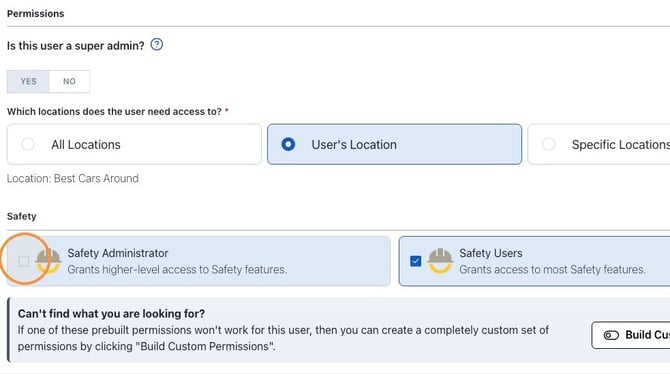
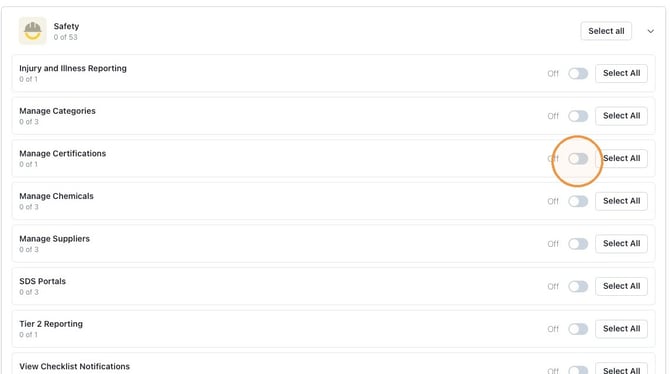
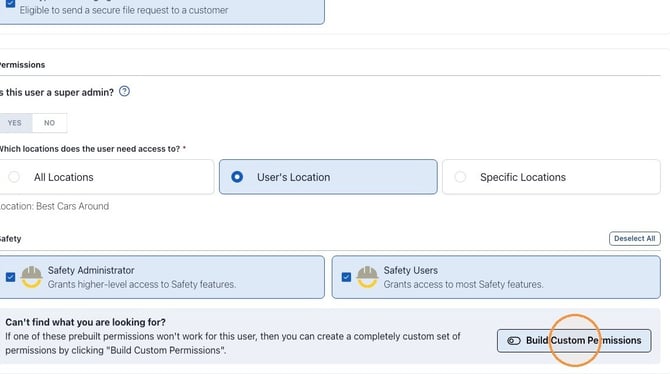
10. You can also customize user permissions. Click "Build Custom Permissions."
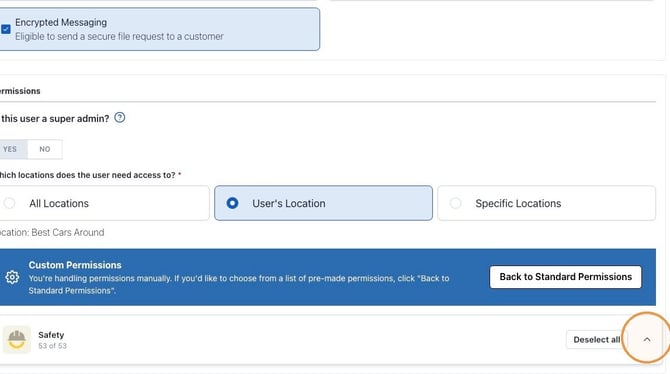
11. Click the ^ icon to expand the Safety custom permissions section.
12. If you only want the employee to manage certifications, click "Deselect all."
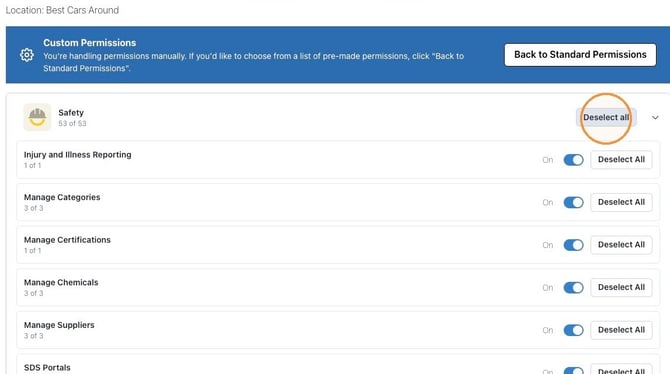
13. Then click Manage Certifications to "On."