
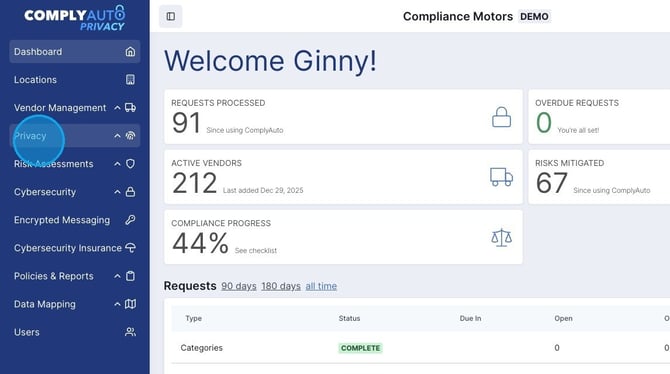
1. Navigate to your ComplyAuto Privacy dashboard and click "Privacy"in the left-hand menu.
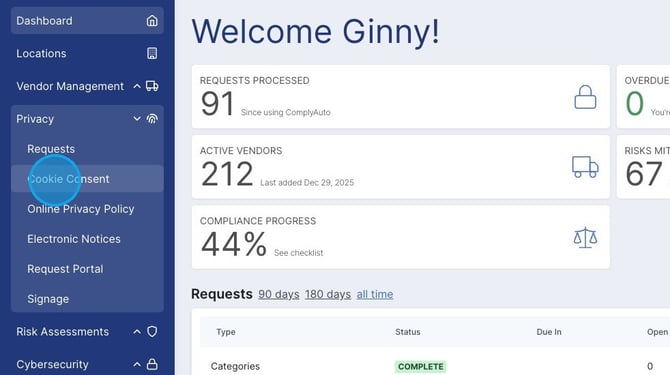
2. Click "Cookie Consent."
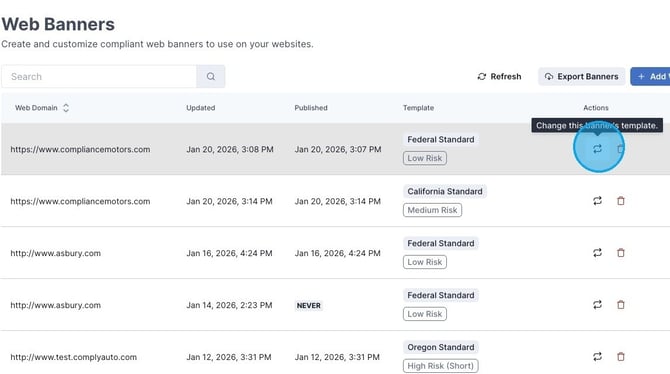
3. To change a cookie banner's risk level, click this icon.
4. Select high, medium, or low risk. Then click "Update."
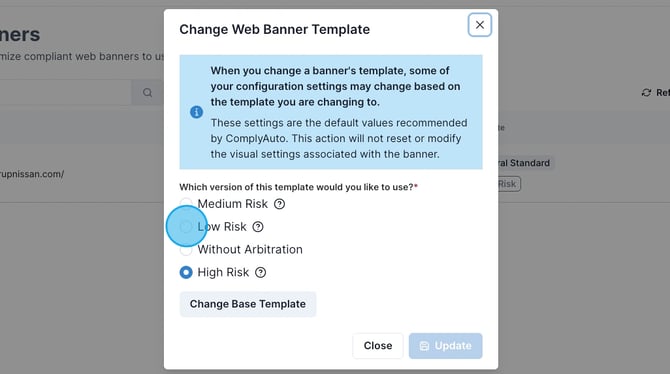
Caution: If you are having trouble determining which cookie banner risk level is right for your dealership, please consult with a ComplyAuto Client Success Manager.